Reusable visual persona brief
Original fictional adult woman, age 31, a curious field researcher with short dark curls, round glasses, olive-green signature clothing, and a calm observant expression. Keep the overall character design recognizable.
Character design workspace guide
Turn a persona idea into visible character details: appearance, clothing, expression, role, and setting. Then use Dreamgens to create an image and refine the design.
| Your starting point | Mode to consider | What to expect |
|---|---|---|
| Only a written idea | Text to Image | A new interpretation of the prompt |
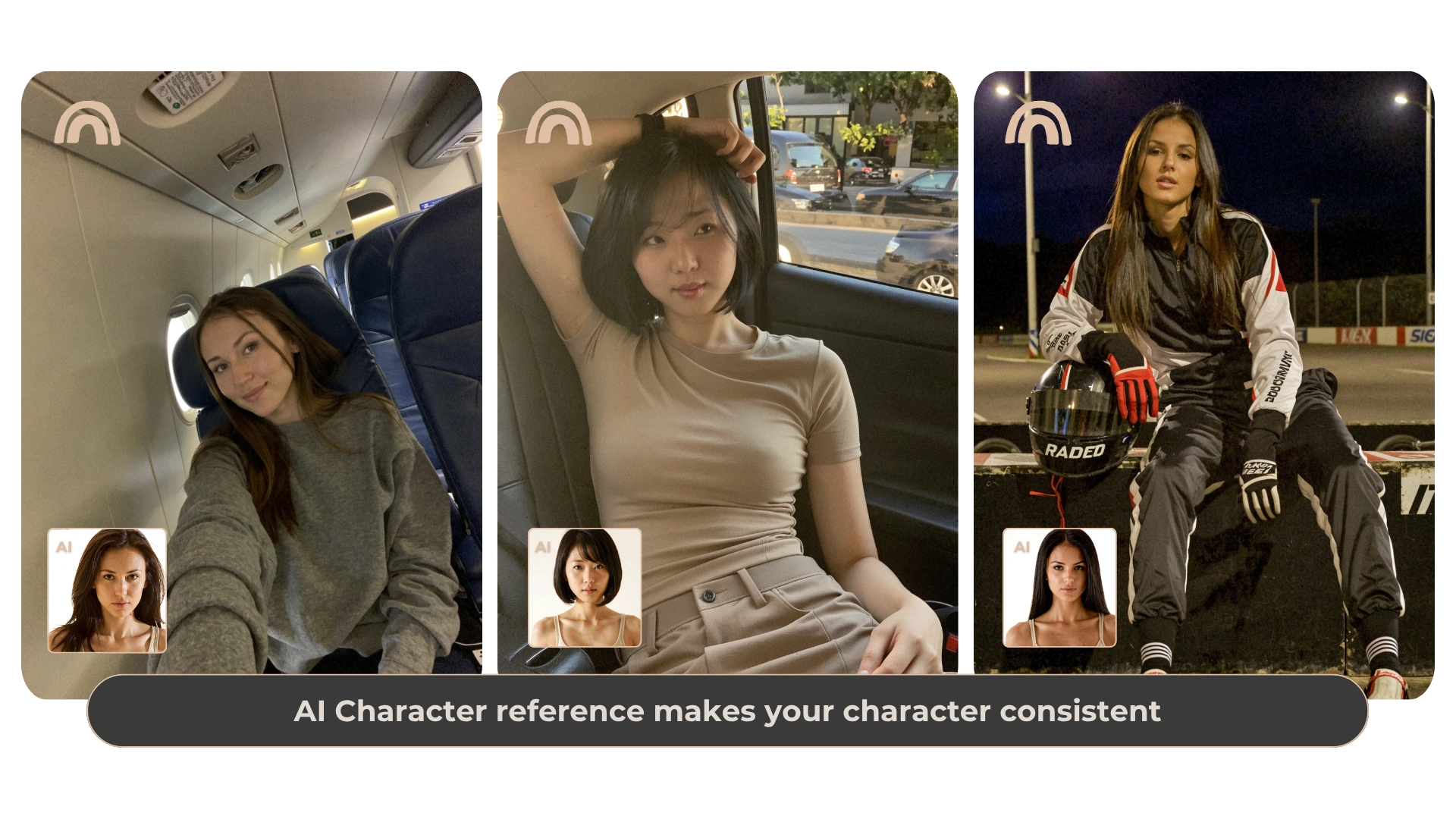
| A look you want to revisit | Character Reference | Visual guidance with variable similarity |
| A posture or framing example | Pose Reference | Guidance for pose and composition |
| An image with one region to change | Image Edit | An instruction and mask guide the edit |
A persona brief helps you decide what to draw. Write the character’s adult age, role, a few appearance details, a signature color, and a typical expression. A curious scientist might wear a practical jacket and look toward an unfamiliar object; an experienced traveler might carry a weathered notebook and stand with a relaxed posture.
Treat personality words as creative direction. Translate them into visible choices before generating: confident can become upright posture and direct eye contact; thoughtful can become a quiet expression and a reading scene. Dreamgens creates the image; it does not store a conversational persona or simulate the character’s feelings.
Keep the character’s hair, face description, and signature colors in one short reusable paragraph. Write the current location, action, clothing, and framing separately. This lets you change the story moment without accidentally changing every part of the character.
For a series, review a small set of traits after each result. Compare the eyes, hair length, distinctive accessories, and overall silhouette. A repeated text brief supports continuity, while Character Reference adds visual guidance when available. Similarity is an interpretation rather than a guarantee.
Start with Text to Image when you have an idea but no reference. Use Character Reference when the appearance matters most. Use Pose Reference when body position and framing matter most. Use Image Edit with an instruction and mask when you want to change a specific region of an existing image.
Check the current plan access for your selected mode. Upload only references you own or have permission to use. Reference uploads remain private, and Character Reference or Image Edit output cannot be published to Community. Pose-only output may be eligible under existing publishing rules.
These are starting instructions, not promises of a particular result or the prompts used for the preview images.
Original fictional adult woman, age 31, a curious field researcher with short dark curls, round glasses, olive-green signature clothing, and a calm observant expression. Keep the overall character design recognizable.
Use the character brief above. Show her examining a plant specimen in a bright greenhouse, wearing a practical olive jacket, medium framing, soft daylight, realistic portrait style.
This page teaches a written character brief. It does not introduce a saved persona system, personality memory, or character chat.
Yes. Reuse the brief and change the scene details. Appearance may vary; a suitable character reference can add visual guidance.
No. You can create an original character from text first, then decide whether you want reference guidance for a later image.
Choose a creation mode and an available style in Dreamgens. Review the current plan details for Gems, limits, and reference access before generating.
Create your character image